Categories Uncategorized

Best Cloud Services Company in Coimbatore – Why Businesses Choose Virtual Automation

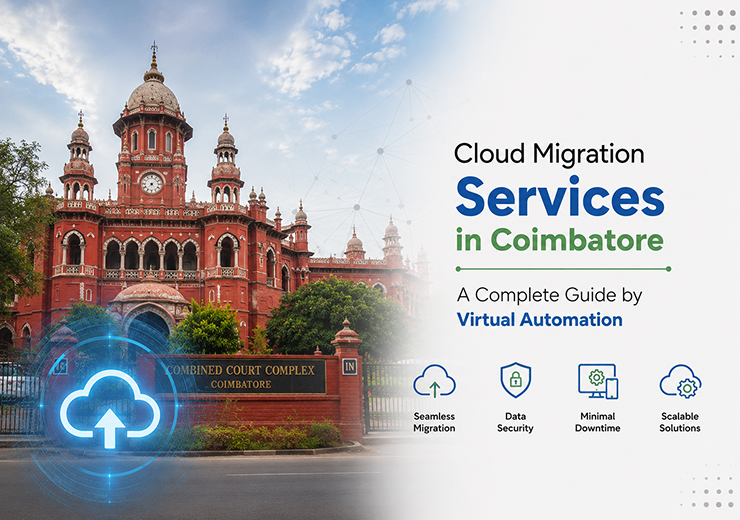
Cloud Migration Services in Coimbatore – A Complete Guide for Businesses
Businesses are increasingly moving their applications, data, servers, and IT infrastructure from traditional on-premise environments to cloud platforms.

Cloud migration can help organizations improve scalability, accessibility, security, and operational efficiency. However, moving business-critical workloads to the cloud requires proper planning, assessment, security controls, and technical expertise.

Choosing professional Cloud Migration Services in Coimbatore can help businesses complete the migration process with better planning and reduced operational risks.

In this guide, we explain what cloud migration means, why businesses are moving to the cloud, different migration strategies, the migration process, common challenges, and how Virtual Automation can support businesses through their cloud transformation journey.

What is Cloud Migration?

Cloud migration is the process of moving business applications, data, servers, databases, workloads, and IT infrastructure from an existing environment to a cloud platform.

Businesses can migrate:

  • Applications
  • Databases
  • Servers
  • Business Data
  • Storage
  • Virtual Machines
  • Business Workloads

Cloud migration can involve moving from physical infrastructure to the cloud or moving workloads between different cloud environments.

Why Businesses in Coimbatore Are Moving to the Cloud

Businesses need flexible technology infrastructure to support changing operational requirements.

Cloud migration can provide several advantages.

Reduce IT Infrastructure Costs

Traditional infrastructure requires businesses to purchase servers, storage systems, networking equipment, and other hardware.

Cloud infrastructure can reduce dependency on physical hardware and provide more flexible resource management.

Improve Scalability

Businesses can scale computing resources based on their requirements.

This is especially useful for organizations experiencing:

  • Business Growth
  • Seasonal Demand
  • New Branches
  • Increasing Data Volumes
  • Application Expansion

Enable Secure Remote Access

Cloud environments can allow authorized employees to access business applications and data from different locations.

This can support remote employees, branch offices, and distributed teams.

Improve Business Continuity

Cloud migration can be combined with backup and disaster recovery solutions to help businesses prepare for system failures and unexpected disruptions.

Modernize IT Infrastructure

Moving legacy workloads to modern cloud infrastructure can help businesses improve application performance and simplify IT management.

Types of Cloud Migration Strategies

There is no single migration approach suitable for every business.

A Cloud Migration Company in Coimbatore should first assess the existing infrastructure before selecting the appropriate migration strategy.

  1. Rehosting

Also known as “Lift and Shift.”

Existing applications and workloads are moved to the cloud with minimal changes.

This approach can be suitable when businesses want to migrate quickly.

  1. Replatforming

Applications are moved to the cloud with selected modifications to improve performance or compatibility.

  1. Refactoring

Applications are redesigned or rebuilt to take advantage of cloud-native capabilities.

This approach can provide greater long-term benefits but may require more planning and development effort.

  1. Retaining

Some applications may remain in the existing environment because they are not currently suitable for migration.

  1. Retiring

Applications that are outdated or no longer required can be removed instead of being migrated.

Cloud Migration Process

A successful migration requires a structured approach.

Step 1 – Infrastructure Assessment

The first step is to understand the existing IT environment.

This includes reviewing:

  • Servers
  • Applications
  • Databases
  • Storage
  • Network Infrastructure
  • Dependencies
  • Security Requirements

Step 2 – Cloud Readiness Assessment

The infrastructure is evaluated to determine which applications and workloads are ready for cloud migration.

This helps identify:

  • Migration Dependencies
  • Compatibility Issues
  • Security Requirements
  • Performance Requirements
  • Potential Risks

Step 3 – Migration Strategy

A suitable migration approach is selected for each workload.

Some applications may be rehosted, while others may require replatforming or modernization.

Step 4 – Data Backup

Before migration begins, critical business data should be backed up securely.

This provides an additional layer of protection during the migration process.

Step 5 – Secure Migration

Applications, workloads, and data are transferred to the selected cloud environment using appropriate security controls.

Step 6 – Testing & Validation

After migration, applications and systems should be tested to verify:

  • Performance
  • Connectivity
  • Security
  • Application Functionality
  • Data Integrity

Step 7 – Deployment & Optimization

Once testing is completed, workloads are deployed and optimized for the cloud environment.

Continuous monitoring can help identify performance and security improvements.

Common Cloud Migration Challenges

Cloud migration can involve several challenges if it is not properly planned.

Legacy Applications

Older applications may not be compatible with modern cloud infrastructure.

Data Security

Sensitive business data needs to be protected during migration and after deployment.

Downtime

Poorly planned migration can cause operational interruptions.

Application Dependencies

Some applications depend on specific servers, databases, or network configurations.

Performance Issues

Applications may require optimization after migration to perform efficiently in the cloud.

Cost Management

Without proper resource planning, cloud usage can become more expensive than expected.

Professional migration planning helps businesses address these challenges before they affect operations.

How to Choose a Cloud Migration Company in Coimbatore

Businesses should evaluate several factors before selecting a cloud migration partner.

Technical Expertise

The provider should understand cloud infrastructure, networking, security, applications, and data migration.

Migration Planning

A professional provider should develop a structured migration plan based on the organization’s infrastructure and business requirements.

Security

Security controls should be implemented throughout the migration process.

Backup & Recovery

The provider should have a clear backup and recovery strategy to protect critical business data.

Post-Migration Support

Migration does not end after deployment.

Ongoing monitoring, maintenance, and optimization are important for maintaining cloud performance.

Cloud Migration Services by Virtual Automation

Virtual Automation provides professional Cloud Migration Solutions in Coimbatore for businesses looking to modernize their IT infrastructure.

Our services include:

Cloud Readiness Assessment

Evaluate existing infrastructure and identify workloads suitable for migration.

Migration Planning

Develop a structured migration strategy based on business requirements.

Server Migration

Move physical or virtual servers to secure cloud environments.

Application Migration

Migrate business applications while considering dependencies and performance requirements.

Data Migration

Transfer critical business data securely to the cloud.

Hybrid Cloud Migration

Support environments where businesses need to maintain both on-premise and cloud infrastructure.

Post-Migration Support

Monitor and optimize cloud infrastructure after migration.

Benefits of Professional Cloud Migration

A professionally managed migration can help businesses achieve:

  • Reduced Infrastructure Complexity
  • Improved Scalability
  • Better Resource Management
  • Secure Data Access
  • Improved Business Continuity
  • Modernized IT Infrastructure
  • Better Remote Accessibility
  • Flexible Cloud Resources

The exact benefits depend on the organization’s infrastructure, applications, and migration strategy.

Cloud Migration and Cyber Security

Cloud migration should always be planned together with security.

Businesses should consider:

  • Identity & Access Management
  • Network Security
  • Firewall Protection
  • Data Encryption
  • Endpoint Security
  • Security Monitoring
  • Backup & Recovery

Migrating to the cloud without appropriate security planning can create unnecessary risks.

For this reason, cloud migration and Cyber Security Services in Coimbatore can work together as part of a broader IT security strategy.

Cloud Migration and Backup & Recovery

Before migrating critical business workloads, organizations should have a reliable backup strategy.

Cloud migration can be combined with:

  • Cloud Backup
  • Automated Backup
  • Disaster Recovery
  • Data Recovery
  • Business Continuity Planning

This provides additional protection against accidental data loss, system failures, and unexpected incidents.

Conclusion

Cloud migration is an important step for businesses looking to modernize their IT infrastructure and improve operational flexibility. However, successful migration requires more than simply moving data and applications to the cloud.

Businesses need proper assessment, migration planning, security, backup, testing, and continuous support.

Virtual Automation provides Cloud Migration Services in Coimbatore designed to help businesses transition from traditional infrastructure to secure and scalable cloud environments.

If your business is planning to migrate to the cloud, consulting with an experienced cloud service provider can help you select the right migration strategy and reduce unnecessary risks.
Categories Uncategorized

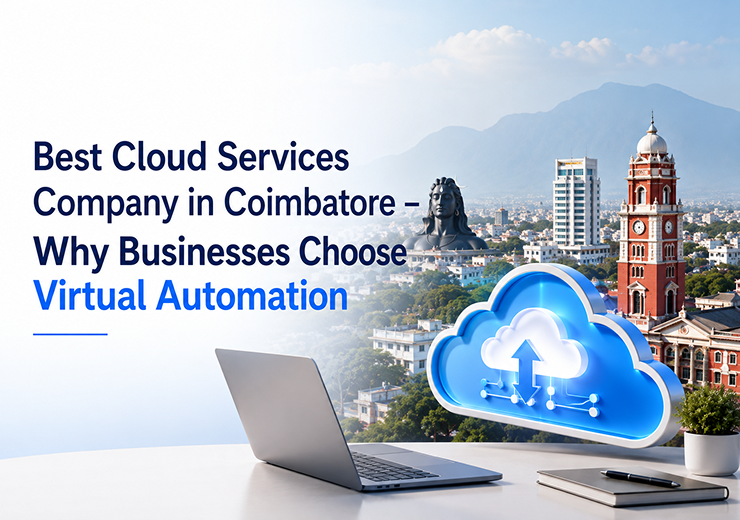
Best Cloud Services Company in Coimbatore – Why Businesses Choose Virtual Automation

Best Cloud Services Company in Coimbatore – Why Businesses Choose Virtual Automation

Introduction

Cloud technology has become an important part of modern business operations. From data storage and application hosting to business continuity and remote access, organizations are increasingly moving their IT infrastructure to secure and scalable cloud environments.

However, choosing the right cloud partner is an important decision. Businesses need a provider that understands their IT requirements, manages cloud infrastructure efficiently, protects business data, and provides reliable technical support.

Virtual Automation provides professional Cloud Services in Coimbatore, helping businesses adopt secure, scalable, and reliable cloud technologies based on their operational requirements.

In this article, we will discuss what businesses should consider when choosing a cloud services company and how the right cloud partner can support business growth.

What Are Cloud Services?

Cloud Services allow businesses to access computing resources, storage, applications, databases, networking, backup, and other IT resources through cloud infrastructure.

Instead of depending completely on physical servers and on-premise infrastructure, businesses can use cloud technology to improve flexibility, scalability, and operational efficiency.

Common cloud services include:

  • Cloud Infrastructure
  • Cloud Migration
  • Managed Cloud Services
  • Cloud Backup
  • Disaster Recovery
  • Cloud Security
  • Cloud Monitoring
  • Server Hosting

Why Businesses in Coimbatore Are Adopting Cloud Services

Businesses are increasingly adopting cloud technology to improve operational efficiency and reduce IT infrastructure complexity.

Reduce Infrastructure Costs

Traditional IT infrastructure requires businesses to invest in servers, storage devices, networking equipment, maintenance, and upgrades.

Cloud services can reduce the need for large upfront infrastructure investments and provide more flexible resource management.

Improve Scalability

Business requirements can change quickly.

Cloud infrastructure allows organizations to increase or reduce computing resources based on their requirements without making major hardware investments.

Enable Remote Access

Cloud-based applications and data can provide secure access to authorized employees from different locations.

This supports:

  • Remote Work
  • Branch Offices
  • Business Collaboration
  • Secure Data Access

Improve Business Continuity

Cloud solutions can be integrated with backup and disaster recovery strategies to help businesses recover from unexpected system failures and disruptions.

Strengthen Data Protection

Professional cloud environments can include security controls such as access management, encryption, monitoring, and backup mechanisms.

What to Look for in a Cloud Services Company

Choosing a cloud provider based only on price can create challenges later. Businesses should evaluate several factors before selecting a cloud services partner.

  1. Cloud Expertise

The provider should understand different cloud environments and recommend solutions based on the organization’s requirements.

Experience with platforms such as Microsoft Azure and AWS can also be valuable depending on the business environment.

  1. Security Capabilities

Security should be one of the most important considerations when selecting a cloud partner.

A professional cloud provider should have solutions for:

  • Access Control
  • Data Protection
  • Network Security
  • Backup
  • Monitoring
  • Threat Protection
  1. Cloud Migration Support

Moving existing applications and data to the cloud requires careful planning.

A reliable provider should be able to assess existing infrastructure, develop a migration strategy, perform secure data migration, and provide post-migration support.

  1. Backup & Disaster Recovery

Cloud infrastructure does not replace the need for a proper backup strategy.

Businesses should choose a provider that can support:

  • Automated Backup
  • Cloud Backup
  • Disaster Recovery
  • Data Recovery
  • Business Continuity
  1. Technical Support

Cloud infrastructure requires continuous monitoring and maintenance.

Reliable technical support helps businesses quickly address infrastructure issues, performance problems, security alerts, backup failures, and access issues.

Cloud Services Offered by Virtual Automation

Virtual Automation provides cloud-focused services designed for businesses looking to modernize their IT infrastructure.

Cloud Infrastructure Services

Design and manage scalable cloud environments based on business requirements.

Cloud Migration Services

Help businesses move applications, workloads, servers, and data to secure cloud environments.

Managed Cloud Services

Monitor and manage cloud infrastructure to maintain performance, reliability, and security.

Cloud Backup Services

Protect critical business information through reliable cloud-based backup solutions.

Disaster Recovery Solutions

Help businesses recover critical systems and data after unexpected failures or disruptions.

Cloud Security

Implement security measures to protect cloud infrastructure and sensitive business information.

Why Choose Virtual Automation?

Virtual Automation focuses on delivering practical cloud solutions that support business growth and operational efficiency.

Businesses can benefit from:

  • Experienced Technical Professionals
  • Secure Cloud Infrastructure
  • Scalable Solutions
  • Cloud Migration Support
  • Backup & Recovery
  • Ongoing Technical Assistance
  • Business-Focused Cloud Solutions

Our approach is to understand the organization’s requirements before recommending the appropriate cloud infrastructure.

Which Businesses Can Benefit from Cloud Services?

Cloud solutions can support businesses across multiple industries.

Manufacturing

Cloud infrastructure can support production systems, business applications, data management, and operational collaboration.

Healthcare

Secure cloud environments can support applications and data management while maintaining appropriate security controls.

Education

Cloud services can support digital learning platforms, collaboration, and application access.

Retail

Cloud infrastructure can support business applications, inventory systems, customer management, and data analytics.

Logistics

Cloud solutions can help organizations manage applications and data across multiple locations.

IT & Software Companies

Cloud infrastructure provides scalable environments for applications, development, testing, and deployment.

Cloud Services vs Traditional IT Infrastructure

Traditional IT infrastructure requires businesses to purchase and maintain physical hardware.

Cloud services provide greater flexibility by allowing organizations to scale resources based on business requirements.

Traditional IT

Cloud Services

High upfront hardware investment

Flexible infrastructure

Physical maintenance required

Managed cloud environments

Limited scalability

Easy scalability

Hardware upgrades required

Resources can be adjusted

Remote access can be complex

Secure remote accessibility

The right approach depends on each organization’s requirements. In some cases, a hybrid cloud environment may also be appropriate.

How to Choose the Right Cloud Solution

Before moving to the cloud, businesses should evaluate:

  1. Current IT infrastructure
  2. Applications and workloads
  3. Data storage requirements
  4. Security requirements
  5. Business continuity requirements
  6. Expected future growth
  7. Budget and operational requirements

A professional cloud assessment can help identify the most suitable approach.


Conclusion

Choosing the right cloud partner is an important step for businesses planning to modernize their IT infrastructure. A reliable cloud services company should provide more than infrastructure. Businesses need security, migration support, backup, monitoring, scalability, and ongoing technical assistance.

Virtual Automation provides Cloud Services in Coimbatore designed to help businesses build secure, scalable, and reliable cloud environments.

If your business is planning to move to the cloud or looking to improve its existing cloud infrastructure, speak with the Virtual Automation team to understand the right solution for your requirements.

Looking for a Cloud Services Company in Coimbatore?

Talk to Virtual Automation about your cloud infrastructure, migration, security, and backup requirements.

Get a Free Cloud Consultation Today.

Categories Uncategorized

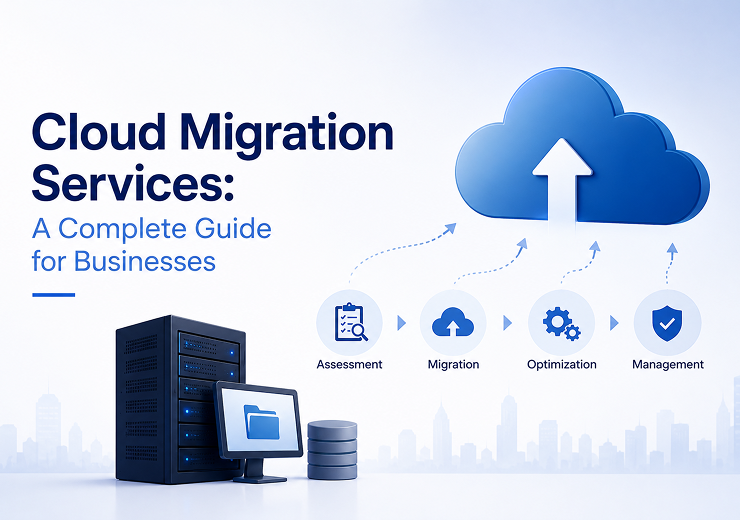
Cloud Migration Services: A Complete Guide for Businesses

Cloud Migration Services | Complete Guide for Businesses
Cloud Migration Services

Cloud Migration Services – A Complete Guide for Modern Businesses

As businesses continue to embrace digital transformation, cloud computing has become a key technology for improving operational efficiency, reducing IT costs, and enhancing business agility. However, moving applications, servers, databases, and workloads to the cloud requires careful planning and execution.

Cloud Migration Services help organizations transition from traditional IT infrastructure to modern cloud platforms with minimal downtime, improved security, and maximum business continuity.

What are Cloud Migration Services?

Cloud Migration Services involve transferring applications, servers, databases, and business data from on-premise infrastructure to cloud platforms such as Microsoft Azure, Amazon Web Services (AWS), private cloud, or hybrid cloud environments.

Professional Cloud Migration Includes

Secure Data Transfer

Move business data securely with encryption and validation.

Minimal Downtime

Ensure uninterrupted business operations during migration.

Improved Performance

Enhance application speed and infrastructure reliability.

Business Continuity

Protect business operations throughout the migration process.

Scalable Infrastructure

Expand cloud resources whenever business demands increase.

Why Businesses are Moving to the Cloud

Lower Infrastructure Costs

Reduce investments in physical servers, hardware, and maintenance expenses.

Better Scalability

Increase or decrease computing resources based on business requirements.

Enhanced Security

Cloud providers offer enterprise-grade security, encryption, firewalls, and identity management.

Remote Accessibility

Employees can securely access business applications and files from anywhere.

Improved Business Continuity

Automated backup and disaster recovery minimize downtime.

Types of Cloud Migration

Rehosting (Lift & Shift)

Move applications directly to the cloud with minimal changes.

Replatforming

Optimize applications with minor improvements during migration.

Refactoring

Redesign applications to leverage cloud-native technologies.

Hybrid Cloud

Combine on-premise infrastructure with cloud resources.

Multi-Cloud

Use multiple cloud providers for improved reliability and flexibility.

Our Cloud Migration Process

Step 1 – Infrastructure Assessment

Analyze existing infrastructure, workloads, and business requirements.

Step 2 – Migration Planning

Create a migration roadmap with timelines and risk assessments.

Step 3 – Secure Data Migration

Transfer applications, databases, and files securely.

Step 4 – Testing & Validation

Verify performance, security, and application functionality.

Step 5 – Deployment

Deploy workloads and optimize cloud configurations.

Step 6 – Ongoing Support

Continuous monitoring, maintenance, and optimization.

Benefits of Cloud Migration Services

  • Improved Application Performance
  • Reduced Downtime
  • Enterprise-Level Data Security
  • Greater Business Flexibility
  • Simplified IT Management
  • Optimized IT Costs

Common Cloud Migration Challenges

  • Legacy Applications
  • Data Security Concerns
  • Downtime Risks
  • Integration Issues
  • Performance Optimization
  • Compliance Requirements

Why Choose Virtual Automation?

Virtual Automation provides end-to-end Cloud Migration Services that help businesses modernize their IT infrastructure with confidence.

  • Cloud Readiness Assessment
  • Migration Planning
  • Microsoft Azure Migration
  • AWS Migration
  • Hybrid Cloud Deployment
  • Cloud Backup Solutions
  • Disaster Recovery
  • Managed Cloud Services
  • Post-Migration Support

Best Practices for Successful Cloud Migration

  • Assess Current Infrastructure
  • Define Migration Objectives
  • Select the Right Cloud Platform
  • Backup Critical Business Data
  • Perform Migration Testing
  • Train Employees
  • Monitor Performance After Deployment

Conclusion

Cloud migration is more than a technology upgrade—it is a strategic investment that improves efficiency, strengthens security, reduces operational costs, and accelerates digital transformation. With expert planning and implementation, businesses can migrate confidently while maximizing long-term value.

Virtual Automation delivers professional Cloud Migration Services that help organizations build secure, scalable, and future-ready cloud environments.

Frequently Asked Questions

What are Cloud Migration Services?

Cloud Migration Services involve moving applications, servers, databases, and business data from on-premise infrastructure to cloud platforms.

Why should businesses migrate to the cloud?

Cloud migration improves scalability, security, performance, and operational efficiency while reducing IT costs.

Which cloud platforms do you support?

We support Microsoft Azure, AWS, Hybrid Cloud, Private Cloud, and customized cloud environments.

How long does cloud migration take?

The migration timeline depends on the size, complexity, and business requirements of the project.

Is cloud migration secure?

Yes. Professional cloud migration includes encryption, secure data transfer, testing, validation, and compliance with industry security standards.

Planning to Migrate Your Business to the Cloud?

Virtual Automation provides reliable Cloud Migration Services that help businesses transition to secure, scalable, and high-performance cloud environments with minimal downtime.

Contact Our Cloud Experts
Categories Uncategorized

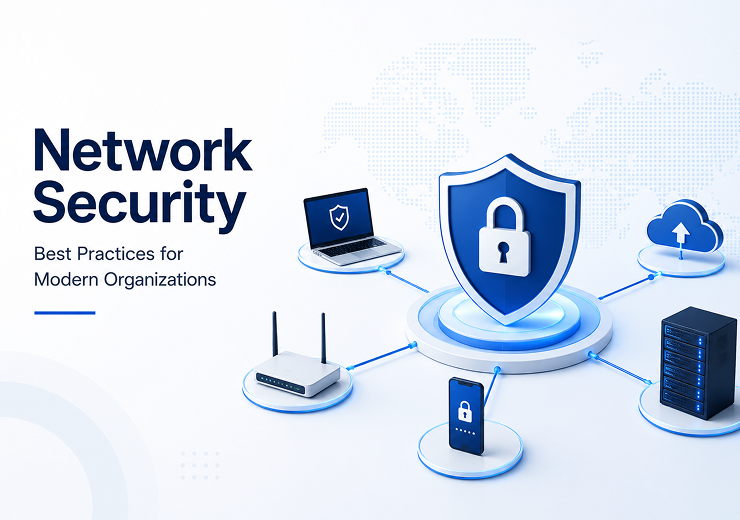
Network Security Best Practices for Modern Organizations

Best Network Security Practices Every Business Should Follow
Network Security Solutions

Best Network Security Practices Every Business Should Follow

In today's connected business environment, a secure network is essential for protecting business operations, customer data, and critical IT infrastructure. As cyber threats become more sophisticated, organizations must adopt proactive network security measures to safeguard their systems against unauthorized access, malware, ransomware, and data breaches.

Whether you operate a small business or a large enterprise, implementing strong Network Security Solutions is no longer optional—it is a business necessity. A secure network improves operational efficiency, protects confidential information, and ensures uninterrupted business continuity.

What is Network Security?

Network Security refers to the technologies, policies, and processes used to protect computer networks, servers, applications, and connected devices from cyber threats and unauthorized access.

Core Network Security Components

Firewall Protection

Filters network traffic and blocks unauthorized access.

Intrusion Detection

Identifies suspicious activities across the network.

VPN Solutions

Provides secure encrypted remote access.

Access Control

Allows only authorized users to access business systems.

Endpoint Security

Protects desktops, laptops and mobile devices.

Network Monitoring

Continuously monitors network health and security.

Security Audits

Regular reviews to identify vulnerabilities.

Why Network Security is Important

  • Protects sensitive business data
  • Prevents financial losses
  • Reduces business downtime
  • Builds customer trust
  • Supports regulatory compliance

Best Practices for Network Security

1. Implement Enterprise Firewall Protection

Firewalls act as the first layer of defense against cyber threats.

  • Block unauthorized access
  • Prevent cyber attacks
  • Protect internal systems
  • Monitor network traffic

2. Keep Systems & Software Updated

  • Install security patches
  • Update operating systems
  • Upgrade network devices
  • Remove unsupported software

3. Use Strong Authentication

  • Multi-Factor Authentication (MFA)
  • Strong password policies
  • Role-based access control
  • Account monitoring

4. Monitor Network Activity Continuously

  • Unauthorized login detection
  • Malware detection
  • Traffic monitoring
  • Performance monitoring
  • Device health monitoring

5. Secure Remote Access

  • VPN Implementation
  • Secure Remote Desktop
  • Endpoint Protection
  • Encrypted Connections

6. Perform Regular Security Assessments

  • Vulnerability Scanning
  • Firewall Reviews
  • Network Audits
  • Configuration Analysis
  • Risk Assessment

7. Backup Critical Business Data

  • Protection against ransomware
  • Recovery from hardware failures
  • Protection against human errors
  • Fast disaster recovery

Common Network Security Threats

Ransomware

Encrypts business files and demands payment.

Malware

Damages systems and steals sensitive information.

Phishing

Fraudulent emails used to steal login credentials.

Insider Threats

Employees accidentally or intentionally exposing business data.

Unauthorized Access

Hackers exploiting weak security controls.

Why Choose Virtual Automation?

Virtual Automation delivers enterprise-grade Network Security Solutions that help businesses protect their IT infrastructure from evolving cyber threats.

  • Firewall Management
  • Network Security Monitoring
  • VPN Implementation
  • Endpoint Protection
  • Security Assessments
  • Access Control Solutions
  • Backup & Recovery
  • 24/7 Technical Support

Benefits of Professional Network Security

  • Improved Data Protection
  • Reduced Cyber Risks
  • Better Business Continuity
  • Secure Remote Access
  • Enhanced Customer Trust
  • Regulatory Compliance
  • Higher Network Performance
  • Reduced Downtime

Conclusion

Cyber threats continue to evolve, making network security a critical investment for every organization. Implementing firewall protection, continuous monitoring, secure authentication, and regular security assessments helps businesses minimize cyber risks and maintain a secure IT environment.

Virtual Automation provides comprehensive Network Security Solutions to help businesses build secure, reliable, and future-ready IT infrastructures.

Frequently Asked Questions

What is Network Security?

Network Security protects business networks, servers, systems, and connected devices from cyber threats and unauthorized access.

Why is Network Security important?

It protects business data, reduces cyber risks, and ensures uninterrupted business operations.

What is a Firewall?

A firewall monitors and controls network traffic to block unauthorized access and malicious activities.

How often should businesses perform security assessments?

Regular security assessments help identify vulnerabilities and improve overall network protection.

Can Network Security support remote employees?

Yes. VPNs, secure remote access, and endpoint protection allow employees to work safely from any location.

Protect Your Business Network Today

Virtual Automation provides reliable Network Security Solutions to help businesses secure their IT infrastructure, reduce cyber risks, and maintain uninterrupted operations.

Contact Our Security Experts
Categories Uncategorized

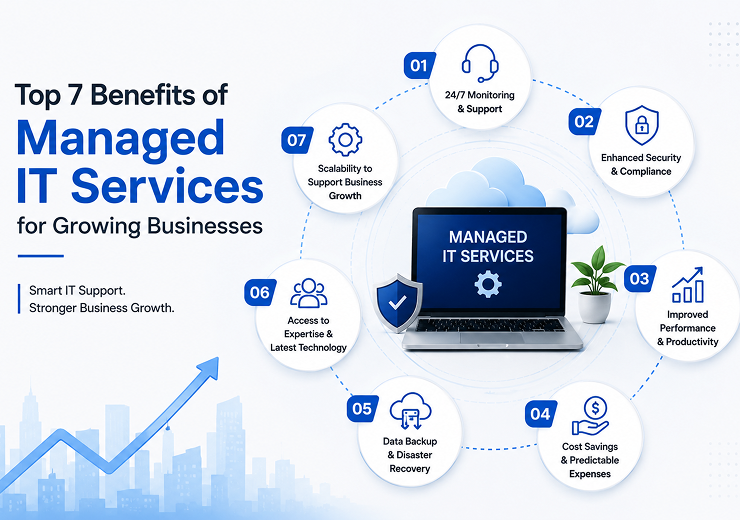
Top 7 Benefits of Managed IT Services for Growing Businesses

Top 7 Benefits of Managed IT Services for Growing Businesses
Managed IT Services

Top 7 Benefits of Managed IT Services for Growing Businesses

Technology plays a critical role in every modern business. From communication and customer service to data management and daily operations, organizations rely on their IT infrastructure to operate efficiently. However, managing IT systems internally can be expensive, time-consuming, and challenging as businesses grow.

Managed IT Services provide proactive monitoring, maintenance, cybersecurity, and technical support to ensure businesses operate efficiently with minimal downtime while improving productivity and reducing operational costs.

What Are Managed IT Services?

Managed IT Services involve outsourcing your organization's IT infrastructure management, technical support, cybersecurity, network monitoring, and system maintenance to an experienced Managed Service Provider (MSP).

These services help businesses maintain secure, reliable, and up-to-date technology environments while allowing teams to focus on core business operations.

Typical Managed IT Services Include

IT Infrastructure Management

Complete monitoring and maintenance of business IT systems.

Network Monitoring

24/7 monitoring to identify and resolve issues quickly.

Server Management

Optimize server performance and ensure high availability.

Helpdesk Support

Technical assistance for employees whenever required.

Cloud Management

Secure cloud infrastructure and application management.

Cyber Security

Protect systems from ransomware, malware, and cyber attacks.

Backup & Disaster Recovery

Reliable backup solutions for business continuity.

Software Updates

Regular updates to improve security and performance.

Preventive Maintenance

Identify and resolve issues before they impact operations.

Top 7 Benefits of Managed IT Services

1. Reduce Business Downtime

Continuous monitoring detects and resolves issues before they cause major business disruptions.

  • Faster issue resolution
  • Reduced downtime
  • Business continuity
  • Higher productivity

2. Strengthen Cyber Security

Protect your business using advanced security solutions including:

  • Firewall Protection
  • Endpoint Security
  • Email Security
  • Network Monitoring
  • Vulnerability Assessment
  • Security Updates

3. Lower IT Operating Costs

  • Lower infrastructure expenses
  • Reduced maintenance costs
  • Predictable monthly IT budgeting
  • Better technology ROI

4. Access to Experienced IT Professionals

  • Cloud Computing
  • Network Management
  • Cyber Security
  • Server Administration
  • Microsoft Technologies
  • IT Infrastructure Support

5. Proactive Monitoring & Maintenance

  • Servers
  • Networks
  • Storage Systems
  • Cloud Infrastructure
  • Security Devices
  • Business Applications

6. Scalable IT Infrastructure

  • Add new users
  • Expand storage
  • Upgrade servers
  • Deploy applications
  • Support multiple branches

7. Focus on Core Business Activities

  • Business Growth
  • Customer Service
  • Sales & Marketing
  • Product Development
  • Operational Efficiency

Why Businesses Choose Managed IT Services

  • Reduced IT Costs
  • Improved Security
  • 24/7 Monitoring
  • Faster Technical Support
  • Better System Performance
  • Business Continuity
  • Cloud Management
  • Reliable Infrastructure
  • Compliance Support

Why Choose Virtual Automation?

Virtual Automation provides professional Managed IT Services that help businesses maintain secure, reliable, and high-performing IT environments.

  • IT Infrastructure Management
  • Server Management
  • Network Monitoring
  • Cloud Services
  • Cyber Security
  • Backup & Recovery
  • Helpdesk Support
  • Preventive Maintenance
  • IT Consulting
  • Technical Support

Best Practices for Effective IT Management

  • Monitor IT infrastructure continuously
  • Perform software updates regularly
  • Implement cybersecurity policies
  • Schedule regular backups
  • Conduct IT audits
  • Employee cybersecurity training
  • Maintain disaster recovery plans

Conclusion

Managed IT Services help businesses reduce downtime, strengthen cybersecurity, lower operational costs, and improve overall productivity. Whether you're a startup, SME, or enterprise, partnering with a trusted Managed Service Provider ensures your technology supports long-term business growth while allowing you to focus on your core operations.

Frequently Asked Questions

What are Managed IT Services?

Managed IT Services involve outsourcing IT management, monitoring, technical support, and cybersecurity to a professional service provider.

Why should businesses choose Managed IT Services?

They reduce downtime, improve security, lower costs, and provide access to experienced IT professionals.

Are Managed IT Services suitable for small businesses?

Yes. Managed IT Services provide scalable and cost-effective IT support for businesses of all sizes.

What services are included?

Network monitoring, server management, cloud services, cybersecurity, helpdesk support, backup & recovery, and preventive maintenance.

How do Managed IT Services improve productivity?

Continuous monitoring and proactive maintenance reduce disruptions and improve overall business efficiency.

Looking for Reliable Managed IT Services?

Virtual Automation provides professional Managed IT Services that help businesses improve security, reduce downtime, optimize IT infrastructure, and support long-term growth.

Contact Our Experts Today