
Cloud Backup vs. Traditional Backup: Which Is Better for Your Business?
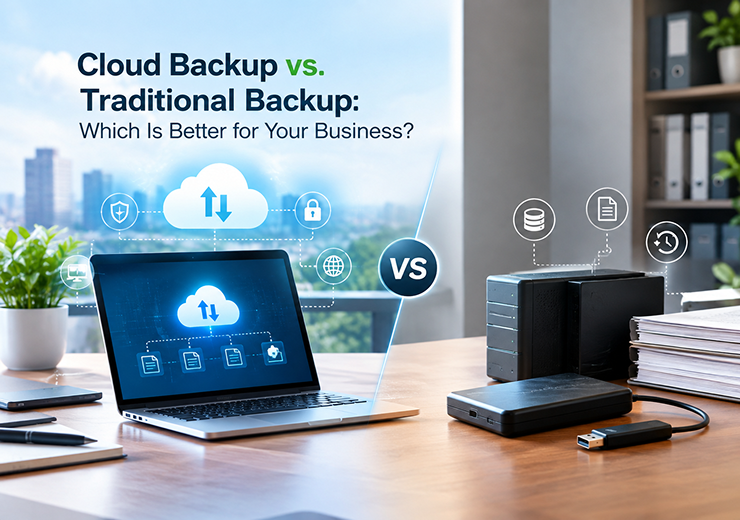
Business data is one of the most valuable assets for any organization. Customer information, financial records, employee data, business documents, applications and operational files need to be protected from accidental deletion, hardware failure, cyber attacks and other unexpected incidents.
A reliable backup strategy helps businesses recover important data when the original files become unavailable. Traditionally, businesses depended on physical storage devices and on-premise backup systems. Today, Cloud Backup Services in Coimbatore provide businesses with another option that offers remote storage, automation and easier access to protected data.
Both cloud backup and traditional backup have their own advantages. The right choice depends on factors such as business size, data volume, security requirements, recovery needs, infrastructure and budget.
This guide explains the difference between Cloud Backup and Traditional Backup and helps businesses understand which approach may be suitable for their IT environment.
What Is Cloud Backup?
Cloud backup is a data protection method where business data is securely copied and stored in a remote cloud environment.
Instead of depending only on physical storage devices at the business location, cloud backup allows data to be protected away from the primary IT infrastructure.
Key Features of Cloud Backup
- Remote data storage
- Automated backup scheduling
- Scalable storage capacity
- Access to backup data from different locations
- Protection against local hardware failures
- Support for business continuity and recovery
Cloud backup can be useful for businesses that want a flexible backup solution without depending entirely on physical infrastructure.
What Is Traditional Backup?
Traditional backup generally involves storing copies of business data using physical or locally managed storage infrastructure.
Common examples include:
- External hard drives
- Backup servers
- Network-attached storage
- Tape storage
- On-premise backup systems
Traditional backup gives businesses direct control over their backup infrastructure. However, the organization is also responsible for maintaining the hardware, storage capacity, backup schedules and recovery processes.
If backup devices are stored in the same location as the primary infrastructure, physical incidents such as fire, theft or other site-related problems may affect both the original data and backup copies.
Why Businesses Need Reliable Backup
Data loss can affect business operations, productivity and customer service. A reliable backup strategy provides businesses with a way to recover important information when unexpected problems occur.
Protection Against Data Loss
Files can be deleted accidentally, damaged or lost because of hardware problems. Backups provide additional copies of important information.
Protection Against Cyber Threats
Cyber incidents can affect business data and systems. Maintaining separate and protected backup copies can support recovery efforts.
Reduced Downtime
When critical information becomes unavailable, recovery can take time. A properly planned backup system helps businesses restore data more efficiently.
Business Continuity
Backup is an important part of business continuity planning because it helps organizations continue operations after unexpected IT incidents.
Cloud Backup vs Traditional Backup
Feature | Cloud Backup | Traditional Backup |
Storage | Remote cloud infrastructure | Local physical infrastructure |
Scalability | Easily scalable | Requires additional hardware |
Accessibility | Can support remote access | Usually location-dependent |
Maintenance | Managed through cloud environment | Hardware needs regular maintenance |
Automation | Supports automated backups | Depends on setup |
Physical Risk | Backup stored away from business location | Can be affected by local incidents |
Initial Infrastructure | Lower physical infrastructure requirement | Requires backup hardware |
Recovery | Depends on internet and provider | Local recovery can be faster |
The best solution depends on the business’s infrastructure, recovery requirements and data protection strategy.
Cloud Backup and Scalability
As a business grows, the amount of data it produces also increases. Traditional storage may require businesses to purchase additional storage devices or servers.
Cloud backup provides a more flexible approach because storage capacity can be expanded based on business requirements.
This can be useful for:
- Growing companies
- Businesses with multiple offices
- E-commerce businesses
- Organizations handling large amounts of digital data
- Businesses moving applications to the cloud
Scalability makes cloud backup a practical option for organizations expecting their data requirements to increase over time.
Traditional Backup and Physical Control
One advantage of traditional backup is direct physical control.
Businesses can maintain their own backup servers or storage devices within their IT environment. This may be suitable for organizations that already have the infrastructure and technical team required to manage backup operations.
However, physical backup also requires:
- Hardware maintenance
- Storage management
- Regular monitoring
- Replacement of failed devices
- Physical security
- Backup testing
Therefore, businesses need to consider the ongoing management requirements before choosing a traditional backup approach.
Cloud Backup and Remote Data Protection
One major advantage of cloud backup is that backup data can be stored away from the primary business location.
This provides an additional layer of protection if the office experiences a physical incident or infrastructure failure.
For businesses operating across multiple locations, cloud backup can also simplify centralized data protection and management.
However, businesses should choose a reliable provider and ensure that appropriate security and recovery measures are in place.
Traditional Backup and Local Recovery
Traditional backup can provide fast local recovery when backup infrastructure is available within the same business environment.
For example, if a user accidentally deletes a file, a locally stored backup may allow the IT team to restore the required data quickly.
However, relying only on local backup can create risks if the primary location and backup storage are affected by the same incident.
For this reason, businesses should consider maintaining backup copies in different locations.
Cloud Backup and Cyber Security
Backup and cyber security should work together.
A business should not assume that having a backup automatically means that its data is completely protected. Backup systems should be properly secured and monitored.
Important considerations include:
- Secure access controls
- Strong authentication
- Protected backup environments
- Regular backup monitoring
- Recovery testing
- Separate backup copies where appropriate
A professional Backup & Recovery Service in Coimbatore can help businesses create a structured approach to data protection and recovery.
Cloud Backup and Disaster Recovery
Backup and disaster recovery are closely connected but they are not exactly the same.
Backup focuses on creating copies of data.
Disaster recovery focuses on restoring systems, applications and data after a major disruption.
A complete recovery strategy may include:
- Regular data backups
- Secure backup storage
- Recovery procedures
- Recovery testing
- Business continuity planning
Combining backup with disaster recovery helps businesses prepare for unexpected IT incidents.
Benefits of Cloud Backup Services
- Scalable Storage
Cloud backup can grow with the business without requiring the same level of physical storage expansion.
- Remote Protection
Data can be protected away from the primary business location.
- Automated Backup
Scheduled backup processes can reduce dependence on manual backup activities.
- Reduced Hardware Dependency
Businesses do not need to rely entirely on physical backup infrastructure.
- Support for Business Continuity
Cloud backup can become an important component of a wider recovery strategy.
- Easier Management
Centralized backup management can simplify monitoring and administration.
Benefits of Traditional Backup
Traditional backup can still be useful for businesses with specific infrastructure and recovery requirements.
Physical Control
Businesses can maintain direct control over backup devices and storage infrastructure.
Local Recovery
Local backups can support quick recovery for certain data restoration requirements.
Existing Infrastructure
Businesses that already have backup servers and storage systems may continue using them as part of their backup strategy.
Reduced Internet Dependency for Local Recovery
Certain recovery operations can be performed within the local network without depending entirely on internet connectivity.
Cloud Backup vs Traditional Backup: Which Is Better?
There is no single solution that is ideal for every business.
Cloud backup may be a better choice for businesses that need:
- Scalable storage
- Remote data protection
- Automated backup
- Reduced physical infrastructure
- Support for multiple locations
Traditional backup may be suitable for businesses that require:
- Direct physical control
- Local recovery
- Existing on-premise infrastructure
- Specific internal storage requirements
For many organizations, a hybrid backup strategy can provide the advantages of both approaches.
Hybrid Backup Strategy
A hybrid backup strategy combines local and cloud backup.
For example, a business may maintain a local backup for faster recovery while also storing an additional copy in a remote cloud environment.
This approach can provide:
- Faster local recovery
- Remote data protection
- Additional backup redundancy
- Better disaster recovery preparation
The exact backup architecture should be designed according to the organization’s data, infrastructure and recovery requirements.
How to Choose a Backup & Recovery Company in Coimbatore
Before selecting a backup provider, businesses should evaluate the following factors:
Technical Expertise
Choose a provider with experience in backup infrastructure, cloud environments and IT systems.
Security
Understand how backup data is protected and how access to backup systems is controlled.
Monitoring
Regular monitoring helps identify backup failures before they become recovery problems.
Recovery Support
Ask how the provider handles data restoration and disaster recovery situations.
Scalability
The solution should support future business and data growth.
Business Understanding
A good provider should understand the organization’s infrastructure and recovery requirements rather than offering a one-size-fits-all solution.
Backup & Recovery Services by Virtual Automation
Virtual Automation provides business-focused IT and infrastructure solutions that include Backup & Recovery, along with cloud, cyber security, network monitoring and technical support.
Backup and recovery solutions can help businesses protect important information and prepare for unexpected infrastructure or data-related incidents.
Businesses can consider professional backup support when they need:
- Data Backup Management
- Cloud Backup
- Backup Monitoring
- Recovery Planning
- Business Continuity Support
- IT Infrastructure Management
The appropriate backup strategy can be designed based on the organization’s infrastructure and business requirements.
Industries That Can Benefit from Backup Services
Reliable backup solutions can support businesses across different industries, including:
- Manufacturing – Protect operational and business data.
- Healthcare – Support protection of important digital records.
- Education – Protect administrative and academic information.
- Retail – Secure business and customer-related data.
- Logistics – Protect operational and transaction information.
- Corporate Offices – Support everyday business data protection.
- Small & Medium Businesses – Improve preparedness against data loss and downtime.
Why Choose Virtual Automation?
Businesses looking for professional IT and backup support can benefit from working with a provider that understands their overall technology environment.
Virtual Automation offers capabilities across:
- IT Infrastructure Management
- Cloud Services
- Network Monitoring
- Cyber Security
- Backup & Recovery
- Technical Support
- Cloud Infrastructure
By combining these areas, businesses can manage backup as part of their wider IT infrastructure and business continuity strategy.
Conclusion
Both Cloud Backup and Traditional Backup can play an important role in protecting business data.
Traditional backup provides physical control and can support quick local recovery, while cloud backup offers scalability, remote protection and reduced dependence on physical infrastructure.
For many modern businesses, combining both approaches through a hybrid backup strategy can provide stronger protection and recovery flexibility.
The most important step is not simply choosing between cloud and traditional backup, but creating a reliable backup and recovery strategy that matches the organization’s infrastructure, security requirements and business continuity goals.