We are:

One Stop for cloud computing solutions

Author Archives: admin_virtual

Categories Uncategorized

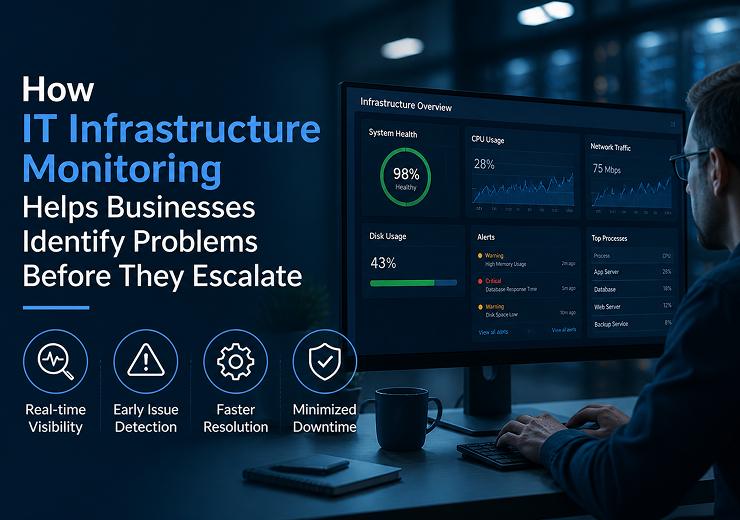
How IT Infrastructure Monitoring Helps Businesses Identify Problems Before They Escalate
How IT Infrastructure Monitoring Helps Businesses Identify Problems Before They Escalate

Modern businesses depend on IT infrastructure for almost every part of their daily operations. Computers, servers, networks, cloud systems, applications and storage platforms all need to work reliably to keep employees productive and business processes running.

However, IT problems do not always happen suddenly. Many infrastructure failures begin with small warning signs such as increased server usage, low storage capacity, network delays, unusual device activity or repeated system errors.

If these warning signs are not identified early, they can develop into serious performance issues or complete system failures.

This is where IT Infrastructure Monitoring Services in Coimbatore can help businesses take a proactive approach to IT management.

IT infrastructure monitoring continuously observes important systems and provides visibility into their performance and health. By identifying potential problems before they escalate, businesses can reduce unexpected downtime, improve system reliability and respond to issues more efficiently.

What Is IT Infrastructure Monitoring?

IT infrastructure monitoring is the process of continuously observing the performance, availability and health of an organization’s IT systems.

Depending on the business environment, monitoring can cover:

  • Servers
  • Networks
  • Computers and devices
  • Storage systems
  • Cloud infrastructure
  • Applications
  • System performance
  • Backup status

Monitoring tools can identify unusual conditions and generate alerts when predefined thresholds or problems are detected.

The purpose is not simply to find failures after they happen. The goal is to identify early warning signs so IT teams can investigate and resolve issues before they significantly affect business operations.

Why Businesses Need IT Infrastructure Monitoring

Without proper monitoring, businesses may only discover IT problems when employees start experiencing them.

For example, a server with continuously increasing resource usage may eventually become slow or unavailable. Similarly, a network device showing repeated errors may eventually cause connectivity problems.

Monitoring provides businesses with better visibility into these conditions.

Early Problem Detection

IT teams can identify unusual performance or availability issues before they become major incidents.

Reduced Downtime

Early intervention can help prevent some infrastructure problems from turning into extended outages.

Better Performance

Monitoring helps businesses understand whether systems are performing within expected levels.

Faster Troubleshooting

Historical monitoring information can help technical teams understand what happened and where an issue started.

Improved IT Management

Continuous visibility makes it easier to manage infrastructure proactively instead of relying only on user complaints.

What Can IT Infrastructure Monitoring Track?

The exact monitoring requirements depend on the organization’s infrastructure.

Server Monitoring

Server monitoring can track areas such as:

  • CPU usage
  • Memory usage
  • Storage capacity
  • Server availability
  • System performance
  • Service status

If resource usage remains unusually high, IT teams can investigate before performance is significantly affected.

Network Monitoring

Network monitoring helps businesses understand the health and performance of their network infrastructure.

It can help identify:

  • Connectivity issues
  • Network availability
  • Performance problems
  • Device failures
  • Unusual traffic patterns
  • Repeated connection problems

Reliable network monitoring is particularly important for businesses that depend on internet connectivity and internal applications.

Storage Monitoring

Low storage capacity can affect servers, applications and business operations.

Monitoring can identify when storage is approaching capacity, allowing IT teams to:

  • Remove unnecessary data
  • Expand storage
  • Move data
  • Review storage usage

Taking action before storage becomes completely unavailable can prevent avoidable disruptions.

Cloud Infrastructure Monitoring

Businesses increasingly use cloud infrastructure for applications, storage and other IT requirements.

Cloud monitoring can provide visibility into:

  • Resource usage
  • System availability
  • Performance
  • Application dependencies
  • Capacity requirements

Monitoring is especially useful as cloud environments grow more complex.

How Monitoring Identifies Problems Before They Escalate

The main value of infrastructure monitoring is its ability to identify patterns and warning signs.

Step 1: Continuous Monitoring

Systems are monitored regularly or continuously based on the monitoring setup.

Step 2: Detect Abnormal Conditions

Monitoring tools identify conditions that differ from expected performance.

Step 3: Generate Alerts

When a defined threshold or issue is detected, an alert can notify the responsible technical team.

Step 4: Investigate the Problem

The IT team reviews the alert and determines its potential cause and impact.

Step 5: Take Preventive Action

The issue can be addressed before it develops into a larger infrastructure failure.

This proactive cycle helps businesses move from reactive IT support to proactive IT management.

Common Problems That Monitoring Can Help Identify

High Server Resource Usage

A server consistently operating under heavy CPU or memory usage may indicate capacity or application-related problems.

Early investigation can help prevent serious performance degradation.

Network Performance Issues

Repeated connectivity problems or unusual network conditions can indicate a developing infrastructure issue.

Low Storage Capacity

Monitoring can alert IT teams before storage reaches critical levels.

Device Availability Problems

If an important network device or server becomes unavailable, monitoring can help identify the problem quickly.

Repeated System Errors

Repeated errors may indicate an underlying issue that needs investigation before it causes a larger failure.

Backup Problems

Monitoring backup status can help identify failed or incomplete backup processes before a recovery situation occurs.

IT Infrastructure Monitoring and Downtime Prevention

Monitoring is an important component of a broader downtime prevention strategy.

Businesses can combine monitoring with:

  • Regular maintenance
  • Hardware management
  • Network management
  • Server management
  • Cyber security
  • Backup and recovery
  • Disaster recovery planning

Monitoring helps identify problems, while these other processes provide the actions needed to prevent or reduce their impact.

IT Monitoring and Cyber Security

Infrastructure monitoring can also support an organization’s wider cyber security strategy.

Unusual activity or unexpected changes in systems may require investigation.

However, infrastructure monitoring should not be considered a replacement for dedicated cyber security controls.

Businesses should combine monitoring with appropriate:

  • Endpoint security
  • Network security
  • Access controls
  • Authentication
  • Software updates
  • Backup and recovery

This creates a broader approach to protecting IT infrastructure.

IT Infrastructure Monitoring for Growing Businesses

As businesses grow, their IT environments become more complex.

A growing organization may add:

  • More employees
  • More devices
  • Additional servers
  • Cloud applications
  • New office locations
  • Increased network traffic
  • Larger storage requirements

Manually checking every component becomes increasingly difficult.

IT Infrastructure Monitoring in Coimbatore can help businesses maintain visibility across their growing technology environment and identify potential problems more efficiently.

Benefits of IT Infrastructure Monitoring

  1. Early Issue Detection

Businesses can identify warning signs before they become major failures.

  1. Reduced Downtime

Proactive intervention can help reduce the likelihood and impact of infrastructure outages.

  1. Improved System Reliability

Regular monitoring provides better visibility into infrastructure health.

  1. Faster Troubleshooting

Technical teams can respond more efficiently when alerts and historical information are available.

  1. Better Capacity Planning

Performance information can help businesses understand when additional infrastructure may be required.

  1. Improved Employee Productivity

Reliable IT systems allow employees to access the tools and applications they need with fewer interruptions.

IT Infrastructure Monitoring vs Reactive IT Support

Proactive IT Monitoring

Reactive IT Support

Identifies warning signs early

Responds after users report problems

Continuous visibility

Limited visibility

Focuses on prevention

Focuses on fixing failures

Uses alerts and performance data

Depends heavily on reported incidents

Helps reduce unexpected downtime

May involve emergency troubleshooting

Supports long-term infrastructure planning

Mainly addresses immediate issues

Reactive support remains necessary when incidents occur, but proactive monitoring can help reduce the number of serious incidents that reach the business.

How to Implement IT Infrastructure Monitoring

Businesses can follow a structured process when setting up infrastructure monitoring.

Step 1: Identify Critical Systems

Determine which servers, networks, applications and devices are essential to business operations.

Step 2: Define Monitoring Requirements

Decide which performance and availability indicators need to be monitored.

Step 3: Set Appropriate Alerts

Create alerts for important conditions such as high resource usage, low storage or system unavailability.

Step 4: Establish Response Procedures

Define who receives alerts and what actions should be taken.

Step 5: Review Monitoring Data

Use performance information to identify recurring problems and infrastructure trends.

Step 6: Improve the Infrastructure

Use monitoring insights to plan maintenance, upgrades, capacity improvements and security measures.

How to Choose an IT Monitoring Company in Coimbatore

When selecting an IT Monitoring Company in Coimbatore, businesses should evaluate the provider’s technical expertise and monitoring capabilities.

Monitoring Coverage

Check whether the provider can monitor servers, networks, cloud infrastructure and other important systems.

Alert Management

Understand how alerts are generated, prioritized and handled.

Technical Support

Monitoring is most valuable when technical teams can respond quickly to identified problems.

Security Capabilities

The provider should understand how monitoring works alongside cyber security and network security.

Scalability

The monitoring solution should support additional devices, systems and locations as the business grows.

Reporting

Regular reports can help businesses understand infrastructure performance and recurring issues.

IT Infrastructure Monitoring Services by Virtual Automation

Virtual Automation provides business-focused IT solutions covering areas such as IT Infrastructure Management, Network Monitoring, Cloud Services, Cyber Security, Backup & Recovery and Technical Support.

Businesses can consider professional support for:

  • IT Infrastructure Monitoring
  • Network Monitoring
  • Server Monitoring
  • Cloud Infrastructure
  • IT Infrastructure Management
  • Cyber Security
  • Backup & Recovery
  • Technical Support

By combining monitoring with infrastructure management, businesses can take a more proactive approach to IT reliability and business continuity.

Industries That Can Benefit from IT Infrastructure Monitoring

Manufacturing

Monitoring can help maintain the reliability of IT systems supporting business and operational activities.

Healthcare

Reliable IT infrastructure is important for organizations that depend on digital systems and connectivity.

Education

Monitoring can support networks, computers, servers and applications used by educational organizations.

Retail

Businesses can monitor systems supporting day-to-day operations and business applications.

Logistics

Monitoring can help maintain reliable connectivity and technology infrastructure for operational processes.

Corporate Offices

Monitoring can provide visibility across employee devices, networks, servers and cloud services.

Small & Medium Businesses

Professional monitoring can help smaller organizations maintain IT visibility without requiring a large internal technical team.

Why Choose Virtual Automation?

Effective infrastructure monitoring requires more than simply receiving technical alerts. Businesses need an IT partner that can understand the wider infrastructure and respond to identified issues.

Virtual Automation provides capabilities across:

  • IT Infrastructure Management
  • Network Monitoring
  • Cloud Services
  • Cyber Security
  • Backup & Recovery
  • Managed IT Services
  • Technical Support

This broader approach allows businesses to connect infrastructure monitoring with their overall IT management and security requirements.

Conclusion

IT infrastructure problems often begin with small warning signs. A gradual increase in server usage, declining storage capacity, repeated network errors or unusual system behaviour may indicate a larger issue developing in the background.

Without monitoring, businesses may only discover these problems after employees or customers are already affected.

IT Infrastructure Monitoring Services in Coimbatore can help businesses identify potential issues earlier, improve infrastructure visibility and support proactive IT management.

When monitoring is combined with regular maintenance, network management, cyber security, backup and recovery, businesses can build a more reliable IT environment and reduce the risk of unexpected disruptions.

The goal is not simply to respond faster when something fails, but to identify potential problems early and take action before they escalate.
Categories Uncategorized

Data Protection Best Practices for Small and Medium Businesses in Coimbatore

Data Protection Best Practices for Small and Medium Businesses in Coimbatore

Data has become one of the most important assets for modern businesses. Small and medium businesses in Coimbatore use digital systems to manage customer information, financial records, employee details, business documents, applications and daily operations.

As businesses become more dependent on technology, protecting this information becomes increasingly important. Data can be lost because of accidental deletion, hardware failure, cyber attacks, ransomware, unauthorized access or other IT incidents.

Data protection is therefore not only an IT responsibility. It is an important part of business continuity and risk management.

For businesses looking for Data Protection Services in Coimbatore, the goal should be to create a practical security strategy that protects important information without making IT management unnecessarily complicated.

This guide explains essential data protection best practices that small and medium businesses can implement to improve the security and reliability of their business information.

What Is Data Protection?

Data protection refers to the practices, technologies and policies used to keep business information secure and available to authorized users.

It involves protecting data from:

  • Unauthorized access
  • Accidental deletion
  • Cyber attacks
  • Hardware failures
  • Data loss
  • Theft
  • System failures
  • Physical damage

A strong data protection strategy should cover data stored on computers, servers, mobile devices, cloud platforms, backup systems and other business infrastructure.

Why Data Protection Is Important for Small and Medium Businesses

Small and medium businesses may have limited IT resources, but they still manage valuable information.

Protect Business Information

Customer records, financial information and business documents need to be protected from unauthorized access and loss.

Reduce Cyber Security Risks

Attackers can target businesses of different sizes. Strong data protection practices can reduce exposure to common cyber threats.

Maintain Business Continuity

If important data becomes unavailable, operations can be interrupted. Reliable backup and recovery processes can help businesses restore information.

Build Customer Trust

Customers expect businesses to handle their information responsibly. Good data security practices can support trust and business reputation.

Reduce Recovery Challenges

Preventive data protection measures can make it easier to respond to unexpected incidents.

Common Data Protection Risks for Businesses

Before implementing security measures, businesses should understand where their data is exposed.

Accidental Data Deletion

Employees may accidentally delete important files or overwrite information.

Hardware Failure

Hard drives, servers and other storage devices can fail, potentially making business data unavailable.

Malware and Ransomware

Malicious software can damage, encrypt or disrupt access to business information.

Weak Passwords

Weak or reused passwords can increase the risk of unauthorized access.

Unpatched Software

Outdated applications and operating systems may contain security vulnerabilities.

Lost or Stolen Devices

Laptops, smartphones and removable storage devices can contain sensitive business information.

Third-Party Access

Vendors and service providers may have access to business systems or information, creating additional security considerations.

Data Protection Best Practices for Businesses

  1. Know What Data Your Business Has

The first step is understanding what information the business collects, where it is stored and who can access it.

Businesses should identify:

  • Customer information
  • Financial records
  • Employee information
  • Business documents
  • Application data
  • Backup data
  • Cloud-stored information

Creating a basic data inventory can help businesses understand which information requires stronger protection.

The FTC similarly recommends that businesses identify the information and systems they rely on before deciding how to protect them.

  1. Limit Access to Sensitive Data

Not every employee needs access to every business file or application.

Businesses should use role-based or need-to-know access wherever appropriate.

For example:

  • Finance employees access financial information
  • HR employees access employee records
  • Sales teams access relevant customer information
  • IT administrators manage technical systems

Limiting unnecessary access can reduce the potential impact of compromised accounts.

  1. Use Strong Passwords and MFA

Strong authentication is an important part of data protection.

Businesses should encourage:

  • Unique passwords
  • Strong passphrases
  • Password managers where appropriate
  • Multi-factor authentication
  • Separate administrator accounts

MFA adds an additional verification step beyond a password and can provide stronger protection for sensitive accounts. NIST recommends MFA, particularly for accounts where it is available.

  1. Encrypt Sensitive Data

Encryption helps protect information by making it difficult for unauthorized users to read.

Businesses should consider encryption for sensitive data stored on:

  • Laptops
  • Mobile devices
  • Removable drives
  • Servers
  • Cloud storage
  • Backup systems

Sensitive information should also be protected when transmitted outside the organization. FTC guidance recommends encryption for sensitive data both at rest and in transit.

  1. Maintain Regular Data Backups

Backup is one of the most important data protection practices.

Businesses should regularly back up critical files, applications and systems.

A backup strategy can include:

  • Local backups
  • Cloud backups
  • Server backups
  • Off-site backup copies
  • Automated backup schedules

Backups should also be protected and tested regularly to confirm that data can actually be restored when required. NIST specifically recommends protecting and testing backups.

  1. Keep Software and Systems Updated

Outdated software can create security weaknesses.

Businesses should establish a regular process for updating:

  • Operating systems
  • Business applications
  • Browsers
  • Security software
  • Network equipment
  • Servers

Where possible, automatic updates can help reduce the chance of important security patches being missed.

  1. Secure Business Devices

Every laptop, desktop, smartphone and other connected device can potentially provide access to business information.

Businesses should:

  • Use endpoint protection
  • Enable device passwords
  • Apply security updates
  • Encrypt supported devices
  • Restrict unauthorized software
  • Monitor important devices

Lost or stolen devices should also be reported quickly so appropriate access and security actions can be taken.

  1. Protect Your Business Network

Data protection also depends on network security.

Businesses should secure their network using appropriate controls such as:

  • Firewalls
  • Secure Wi-Fi
  • Strong network passwords
  • Network monitoring
  • Separate guest networks
  • Secure remote access

Business and guest devices should be separated where appropriate to reduce unnecessary exposure.

  1. Train Employees

Employees play an important role in data protection.

Regular training should cover:

  • Phishing awareness
  • Password security
  • Safe file sharing
  • Device security
  • Remote working practices
  • Reporting suspicious activity
  • Handling sensitive information

Employees should also know what to do if a device, file or account is lost or compromised.

Regular employee training is recommended as part of small-business cybersecurity practices.

  1. Manage Third-Party Data Access

Businesses often work with accountants, software providers, IT companies, cloud providers and other vendors.

If a third party can access business information, businesses should understand:

  • What information they can access
  • Why they need access
  • How long access is required
  • How data is protected
  • How access can be removed

Access should be limited to what is necessary. Vendor security requirements should also be documented and reviewed periodically.

Data Protection and Backup & Recovery

Data protection should not stop at preventing unauthorized access.

Businesses also need to prepare for situations where data becomes unavailable.

A complete strategy should include:

  1. Regular backups
  2. Secure backup storage
  3. Backup monitoring
  4. Recovery procedures
  5. Recovery testing
  6. Disaster recovery planning

This helps businesses prepare for hardware failures, accidental deletion, ransomware and other incidents.

Data Protection for Remote Employees

Remote work has created additional data protection requirements.

Employees may access business information from homes, client locations or other networks.

Businesses should therefore use:

  • Secure remote access
  • MFA
  • Protected devices
  • Updated software
  • Strong passwords
  • Security awareness training
  • Appropriate access controls

Employees should also understand the risks of using unsecured public Wi-Fi and unmanaged devices.

Data Protection for Growing Businesses

As a business grows, the amount of data and number of users usually increase.

A growing business may need to manage:

  • More employees
  • More customer information
  • Additional devices
  • Cloud applications
  • Multiple offices
  • Larger backup requirements

Data protection practices should therefore be scalable.

Centralized security, backup and IT management can help businesses maintain consistent protection as their infrastructure expands.

Benefits of Strong Data Protection

  1. Reduced Data Loss Risk

Regular backups and security controls help protect important business information.

  1. Improved Cyber Security

Access controls, MFA, encryption and endpoint protection can reduce common security risks.

  1. Better Business Continuity

Reliable recovery processes can help businesses respond to data-related incidents.

  1. Improved Customer Confidence

Responsible handling of information can support customer trust.

  1. Better IT Management

A structured data protection strategy provides clearer processes for managing business information.

  1. Support for Business Growth

Scalable security and backup solutions can grow with the organization.

Data Protection Best Practices Checklist

Area

Recommended Practice

Data Inventory

Identify important business data

Access Control

Limit access based on business needs

Passwords

Use strong and unique passwords

MFA

Enable MFA for important accounts

Encryption

Protect sensitive data at rest and in transit

Backup

Back up critical data regularly

Updates

Keep software and systems patched

Devices

Protect laptops, desktops and mobile devices

Network

Secure Wi-Fi, firewalls and remote access

Employees

Conduct regular security training

Vendors

Review third-party access

Recovery

Test backup and recovery procedures

How to Choose a Data Security Company in Coimbatore

When selecting a Data Security Company in Coimbatore, businesses should look beyond individual security tools.

Technical Expertise

The provider should understand business networks, devices, cloud systems and data protection requirements.

Security Capabilities

Check whether the provider can support access control, endpoint security, network security and other relevant protections.

Backup & Recovery

Reliable backup and recovery should be part of the overall data protection strategy.

Monitoring

Regular monitoring can help identify suspicious activity and security issues.

Scalability

The solution should support future growth in users, devices and data.

Technical Support

Businesses should have access to technical assistance when security or data-related issues occur.

Data Protection Services by Virtual Automation

Virtual Automation provides business-focused IT solutions across areas including Cyber Security, Cloud Services, Network Security, Backup & Recovery, Managed IT and IT Infrastructure Management.

Businesses can consider professional support for:

  • Data Protection
  • Backup & Recovery
  • Cyber Security
  • Network Security
  • Cloud Security
  • IT Infrastructure Management
  • Technical Support

Combining these services can help businesses take a broader approach to protecting important information and maintaining reliable IT operations.

Industries That Can Benefit from Data Protection

Manufacturing

Protect business, operational and administrative information.

Healthcare

Support the protection of important digital records and business systems.

Education

Secure staff, administrative and organizational information.

Retail

Protect customer, transaction and business data.

Logistics

Secure operational and business management information.

Corporate Offices

Protect employee devices, applications and business documents.

Small & Medium Businesses

Build practical data protection processes that can scale with business growth.

Why Choose Virtual Automation?

Data protection is closely connected to the wider IT environment.

Virtual Automation provides capabilities across:

  • Cyber Security
  • Network Security
  • Cloud Services
  • Backup & Recovery
  • Managed IT Services
  • IT Infrastructure Management
  • Technical Support

This broader approach allows businesses to consider data protection together with their infrastructure, security and recovery requirements.

Conclusion

Data protection is an essential part of running a modern business. Small and medium businesses in Coimbatore may not have the same IT resources as large organizations, but they still need to protect valuable business and customer information.

A strong approach should begin with understanding what data the business has and who needs access to it. From there, businesses can implement strong authentication, access controls, encryption, regular backups, software updates, device protection, network security and employee training.

Data protection should also include preparation for unexpected incidents through backup, recovery and incident response planning.

By following practical Data Protection Best Practices and working with an experienced IT security provider, small and medium businesses can improve their data security while building a more reliable foundation for future growth.

ls.

Categories Uncategorized

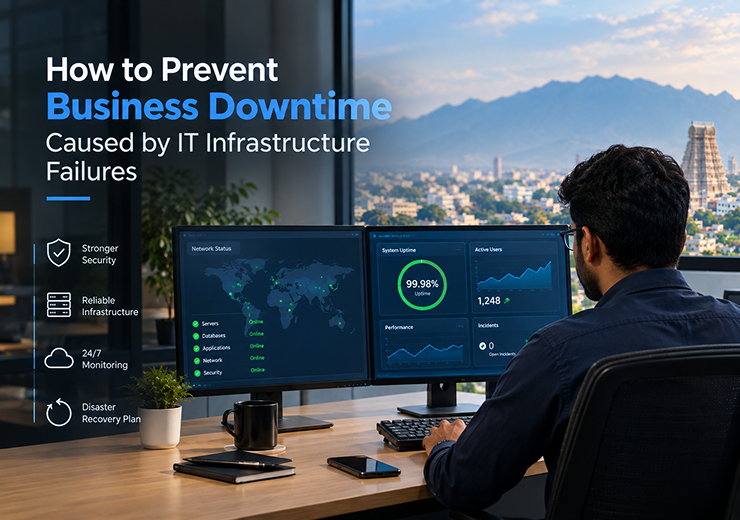
How to Prevent Business Downtime Caused by IT Infrastructure Failures

How to Prevent Business Downtime Caused by IT Infrastructure Failures

Modern businesses depend heavily on technology to manage daily operations. Employees use computers, servers, networks, cloud applications and business systems to communicate, store information and serve customers.

When an important part of the IT infrastructure fails, business operations can be interrupted. A server problem, network failure, hardware breakdown, software issue or security incident can prevent employees from accessing the systems they need.

Business downtime can result in lost productivity, delayed services, missed opportunities and dissatisfied customers.

For businesses looking for IT Infrastructure Management Services in Coimbatore, preventing downtime should be a priority rather than waiting until a major failure occurs.

A proactive IT infrastructure strategy combines monitoring, maintenance, security, backup and technical support to identify potential problems early and improve infrastructure reliability.

What Is IT Infrastructure?

IT infrastructure refers to the technology systems and components that support business operations.

It can include:

  • Computers and workstations
  • Servers
  • Business networks
  • Routers and switches
  • Cloud infrastructure
  • Storage systems
  • Security systems
  • Business applications
  • Backup infrastructure

These components work together to support everyday business activities.

If one critical component fails, it can affect multiple users or business processes. Therefore, businesses need proper infrastructure management to maintain reliability and reduce unexpected downtime.

What Causes IT Infrastructure Failures?

Understanding common causes of infrastructure failures can help businesses prepare preventive measures.

Hardware Failures

Servers, storage devices, computers and network equipment can fail due to age, physical damage or component problems.

Network Problems

Internet outages, damaged network equipment, configuration issues or connectivity problems can prevent employees from accessing business systems.

Software Failures

Application errors, incompatible updates or system crashes can interrupt business operations.

Cyber Security Incidents

Malware, ransomware and unauthorized access can affect systems and make important resources unavailable.

Power Problems

Power failures or electrical issues can interrupt servers, networking equipment and other IT systems.

Human Errors

Incorrect configurations, accidental deletion and improper system changes can also cause infrastructure problems.

Why Preventing IT Downtime Is Important

Downtime can affect more than just the IT department.

Reduced Employee Productivity

Employees may be unable to access applications, files, email or internal systems.

Business Delays

Operational activities may stop or slow down when important systems become unavailable.

Customer Impact

Customers may experience delays when businesses cannot provide services or process requests.

Data Risks

Infrastructure failures can sometimes result in data corruption or loss if reliable backup systems are not available.

Financial Impact

Extended downtime can result in lost productivity, delayed operations and additional recovery costs.

Key Strategies to Prevent IT Infrastructure Failures

  1. Proactive IT Monitoring

Regular monitoring helps businesses identify infrastructure problems before they become major failures.

IT teams can monitor:

  • Server performance
  • Network availability
  • Storage capacity
  • Device health
  • System alerts
  • Backup status

Proactive monitoring allows potential issues to be investigated and resolved earlier.

  1. Regular Hardware Maintenance

IT hardware should not be maintained only after something breaks.

Businesses should regularly review:

  • Server health
  • Storage devices
  • Network equipment
  • Workstations
  • Hardware age
  • Equipment performance

Identifying aging or unreliable hardware early can help businesses plan replacements before unexpected failure occurs.

  1. Network Management

A reliable network is essential for businesses that depend on internet connectivity and internal systems.

Network management should include:

  • Monitoring network performance
  • Checking connectivity
  • Reviewing network equipment
  • Identifying unusual activity
  • Managing configurations
  • Troubleshooting network issues

Proper network management can improve infrastructure reliability and reduce avoidable interruptions.

  1. Server Management

Servers often support important applications, files and business services.

Regular server management can include:

  • Performance monitoring
  • Storage monitoring
  • Software updates
  • Security checks
  • Resource management
  • Backup verification

Proactive server management helps identify performance and capacity issues before they significantly affect users.

Backup and Disaster Recovery

Backup is one of the most important components of a downtime prevention strategy.

If business data becomes unavailable because of hardware failure, accidental deletion or a cyber incident, reliable backups can support recovery.

A strong backup strategy should consider:

  • Regular backup schedules
  • Secure backup storage
  • Multiple backup copies where appropriate
  • Backup monitoring
  • Recovery procedures
  • Regular recovery testing

However, backup alone is not the complete solution. Businesses should also have a disaster recovery plan that defines how important systems and data will be restored after a major incident.

IT Infrastructure and Cyber Security

Cyber security is closely connected to infrastructure reliability.

A cyber attack can cause system downtime, data loss and operational disruption.

Businesses should consider security measures such as:

  • Endpoint protection
  • Network security
  • Strong authentication
  • Access controls
  • Regular software updates
  • Employee security awareness
  • Backup and recovery

Security should be integrated into the overall IT infrastructure strategy rather than treated as a separate activity.

Cloud Infrastructure and Business Continuity

Cloud services can provide businesses with flexible infrastructure and access to applications and data.

For growing businesses, cloud infrastructure can support:

  • Remote work
  • Business applications
  • Data storage
  • Scalability
  • Multiple office locations
  • Business continuity

However, cloud infrastructure also needs proper management, security and backup planning.

Businesses should ensure that their cloud environment is monitored and managed according to their operational requirements.

IT Infrastructure for Growing Businesses

As a business grows, its IT requirements also increase.

New employees, offices, applications and devices can make infrastructure management more complex.

A growing business may need to manage:

  • New employee device setup
  • Office expansion
  • Additional network infrastructure
  • Increased server capacity
  • Cloud adoption
  • Security requirements
  • Additional backup needs

A scalable IT infrastructure strategy helps businesses support growth without creating unnecessary technology disruptions.

Benefits of Proactive IT Infrastructure Management

  1. Reduced Downtime

Early identification of infrastructure problems can help prevent major disruptions.

  1. Improved Reliability

Regular monitoring and maintenance can improve the stability of IT systems.

  1. Faster Issue Resolution

Technical teams can respond to problems more efficiently when infrastructure is properly monitored.

  1. Better Security

Infrastructure management can work alongside cyber security controls to reduce technology risks.

  1. Improved Productivity

Employees can work more efficiently when business systems remain available.

  1. Support for Business Growth

A well-managed infrastructure can scale as the organization adds users, devices and applications.

IT Infrastructure Management vs Reactive IT Support

Proactive IT Management

Reactive IT Support

Identifies problems early

Responds after failure

Continuous monitoring

Issue-based monitoring

Preventive maintenance

Emergency repairs

Focuses on reliability

Focuses on restoration

Helps reduce downtime

Can result in longer interruptions

Supports long-term planning

Often addresses immediate problems

Reactive support is still important when incidents occur, but proactive management helps reduce the number and impact of avoidable failures.

How to Prevent IT Infrastructure Failures

Businesses can follow a structured process to improve infrastructure reliability.

Step 1: Identify Critical Systems

Determine which servers, applications, networks and devices are essential for daily operations.

Step 2: Monitor Infrastructure

Implement regular monitoring for servers, networks, storage and other important systems.

Step 3: Schedule Maintenance

Perform regular updates, hardware checks and configuration reviews.

Step 4: Maintain Reliable Backups

Create and monitor backups for important business data.

Step 5: Strengthen Security

Use appropriate endpoint, network and access security controls.

Step 6: Create a Recovery Plan

Define how critical systems will be restored after major failures.

Step 7: Review Infrastructure Regularly

Technology requirements change as businesses grow. Infrastructure should be reviewed periodically to identify capacity, security and reliability improvements.

How to Choose an IT Infrastructure Management Company in Coimbatore

When selecting an IT Infrastructure Management Company in Coimbatore, businesses should evaluate the provider’s technical capabilities and support approach.

Technical Expertise

The provider should understand servers, networks, cloud infrastructure, security and business IT environments.

Monitoring Capability

Ask whether the provider can proactively monitor infrastructure and identify potential problems.

Security Support

Infrastructure management should include appropriate cyber security considerations.

Backup and Recovery

Check whether the provider can support backup monitoring and recovery planning.

Scalability

The solution should support future business growth and infrastructure expansion.

Technical Support

Reliable assistance is important when infrastructure problems occur.

Business Understanding

The provider should understand the organization’s operations and critical systems before recommending an infrastructure strategy.

IT Infrastructure Services by Virtual Automation

Virtual Automation provides business-focused IT solutions covering areas such as IT Infrastructure Management, Network Monitoring, Cloud Services, Cyber Security, Backup & Recovery and Technical Support.

Businesses can consider professional IT infrastructure support for:

  • IT Infrastructure Management
  • Network Monitoring
  • Server Management
  • Cloud Infrastructure
  • Cyber Security
  • Backup & Recovery
  • Technical Support

By combining these services, businesses can take a more proactive approach to infrastructure reliability and business continuity.

Industries That Can Benefit from IT Infrastructure Management

Manufacturing

Reliable IT infrastructure can support operational and administrative business systems.

Healthcare

Infrastructure management can help maintain the availability of important digital systems.

Education

Schools and educational organizations depend on networks, computers and applications for daily activities.

Retail

Retail businesses require reliable systems for operations, customer service and business management.

Logistics

IT infrastructure supports communication, operational systems and business processes.

Corporate Offices

Managed infrastructure can support employees, applications, networks and cloud services.

Small & Medium Businesses

Professional infrastructure management can help smaller organizations maintain reliable IT systems without depending entirely on internal resources.

Why Choose Virtual Automation?

Preventing downtime requires more than fixing problems after they occur. Businesses need an IT partner that can support infrastructure, security, cloud and recovery requirements together.

Virtual Automation provides capabilities across:

  • IT Infrastructure Management
  • Network Monitoring
  • Cloud Services
  • Cyber Security
  • Backup & Recovery
  • Managed IT Services
  • Technical Support

This broader approach helps businesses manage their technology environment with a focus on reliability, security and business continuity.

Conclusion

IT infrastructure failures can interrupt business operations, reduce employee productivity and affect customers. Waiting until a server, network or critical system fails can result in unnecessary downtime and recovery challenges.

A proactive approach can help businesses reduce these risks.

Regular infrastructure monitoring, hardware maintenance, network management, server management, cyber security, backup and disaster recovery should work together as part of a complete IT strategy.

For businesses looking for IT Infrastructure Management Services in Coimbatore, working with an experienced IT service provider can help maintain reliable infrastructure while supporting future business growth.

The goal is not only to fix IT problems quickly, but to identify and prevent potential failures before they become major business disruptions.

Categories Uncategorized

Zero Trust Security: Why Modern Businesses Need a New Approach to Network Protection

Zero Trust Security: Why Modern Businesses Need a New Approach to Network Protection

Traditional network security often works on the idea that users and devices inside a company’s network can be trusted. However, modern businesses no longer operate entirely within one physical office network.

Employees work remotely, businesses use cloud applications, multiple devices connect to company systems, and data may be accessed from different locations. These changes have made traditional perimeter-based security less effective on its own.

This is where Zero Trust Security provides a different approach.

Zero Trust follows a simple principle: do not automatically trust users or devices simply because they are inside a network. Access should be verified based on identity, device, permissions and other security requirements.

For businesses looking for Zero Trust Security Services in Coimbatore, understanding this approach can help them build a stronger and more flexible security strategy.

What Is Zero Trust Security?

Zero Trust Security is a security approach where users, devices and applications are not automatically trusted.

Instead, access requests are continuously evaluated according to security policies.

A Zero Trust environment focuses on:

  • Verifying user identity
  • Checking device security
  • Limiting access permissions
  • Protecting applications and data
  • Monitoring activity
  • Reducing unnecessary network access

The goal is to reduce the impact of compromised accounts, devices or applications.

Zero Trust is not simply a single security product. It is an overall security strategy that can involve identity management, endpoint security, network security, application protection and data security.

Why Traditional Network Security Is Changing

Traditional network security commonly relies on a strong boundary around the organization’s internal network.

Firewalls and other network security controls remain important, but modern IT environments have become more distributed.

Businesses may now have:

  • Remote employees
  • Cloud applications
  • Multiple offices
  • Mobile devices
  • SaaS platforms
  • Third-party services
  • External business partners

Because users and applications can access resources from different locations, businesses need security controls that work beyond the traditional office network.

Zero Trust provides a framework for managing this changing environment.

Why Businesses Need Zero Trust Security

Protect Remote Workers

Remote employees may access business systems from outside the office. Zero Trust can help ensure that access is based on identity and security policies rather than simply network location.

Reduce Unauthorized Access

Access can be limited according to the user’s role and business requirements.

Protect Cloud Applications

Cloud applications may be accessed from different locations and devices. Zero Trust principles can help businesses apply consistent access controls.

Reduce Security Risks

If an account or device becomes compromised, limiting permissions can reduce the potential impact.

Improve Visibility

Monitoring user and device activity can help organizations identify unusual behaviour and security issues.

Key Principles of Zero Trust Security

A strong Zero Trust strategy generally focuses on several important principles.

  1. Verify Every Access Request

Users should not automatically receive access simply because they are connected to the company network.

Identity and access should be verified before granting access to protected resources.

  1. Use Least-Privilege Access

Users should receive only the access required to perform their job.

For example, an employee who only needs access to a specific business application may not need access to the entire internal network.

Least-privilege access can reduce unnecessary exposure.

  1. Secure Devices

A user’s identity is only one part of the security process.

Businesses should also consider the security condition of the device being used.

Important checks may include:

  • Device updates
  • Security software
  • Device configuration
  • Encryption
  • Device compliance
  1. Monitor User and Device Activity

Zero Trust is not only about granting or denying access.

Organizations should monitor activity to identify unusual behaviour and potential security incidents.

Monitoring can help security teams understand:

  • Who accessed a resource
  • Which device was used
  • What application was accessed
  • When access occurred
  • Whether the activity appears unusual

Zero Trust and Multi-Factor Authentication

Multi-factor authentication is an important security control that can support Zero Trust.

Instead of depending only on a password, MFA requires additional verification during authentication.

For example, authentication may involve:

  1. Username and password
  2. A verification code or authentication application
  3. Another approved authentication factor

MFA can help reduce the risk of unauthorized access when passwords are stolen or compromised.

Businesses should especially consider strong authentication for administrator accounts, remote access and important business applications.

Zero Trust and Endpoint Security

Every connected device can become a potential entry point for attackers.

Therefore, Zero Trust works closely with endpoint security.

Businesses should consider whether devices are:

  • Properly updated
  • Protected with security software
  • Authorized to access company resources
  • Configured according to security policies
  • Regularly monitored

Combining Zero Trust Security and Endpoint Security can provide stronger protection for users and devices.

Zero Trust and Network Security

Zero Trust does not mean that traditional network security is no longer required.

Firewalls, network monitoring, segmentation and other security controls can continue to protect the infrastructure.

The difference is that Zero Trust adds stronger identity- and access-based controls.

Traditional Network Security

Zero Trust Security

Focuses strongly on network boundaries

Focuses on identity, devices and resources

Trust may depend on network location

Access is continuously evaluated

Mainly protects network perimeter

Protects users, applications and data

Internal access may be broader

Uses least-privilege access

Works mainly around network infrastructure

Works across modern distributed environments

Both approaches can work together as part of a wider cyber security strategy.

Zero Trust for Cloud-Based Businesses

Cloud adoption has changed how businesses access applications and data.

Employees may use cloud services from offices, homes and other locations. This makes identity and access management increasingly important.

Zero Trust can help businesses apply access policies based on:

  • User identity
  • Device status
  • Application
  • Location
  • Security requirements
  • User permissions

This can provide a more controlled approach to accessing cloud resources.

Zero Trust for Growing Businesses

As organizations grow, they often add more employees, devices, applications and locations.

Without a structured access strategy, users may gradually receive more permissions than they actually require.

A Zero Trust approach can help businesses establish clearer security policies.

It can support:

  • New employee onboarding
  • Role-based access
  • Remote employee security
  • Cloud application access
  • Device management
  • Access reviews

This makes Zero Trust particularly useful for organizations building a scalable security environment.

Benefits of Zero Trust Security

  1. Stronger Access Control

Access can be limited according to user roles and business requirements.

  1. Better Protection for Remote Access

Security policies can be applied even when employees work outside the office.

  1. Reduced Attack Surface

Limiting unnecessary access can reduce the number of resources exposed to compromised users or devices.

  1. Improved Visibility

Monitoring user and device activity can provide better awareness of potential threats.

  1. Better Cloud Security

Zero Trust principles can support secure access to cloud applications and services.

  1. Scalable Security

Zero Trust can adapt as businesses add users, devices, applications and locations.

How to Build a Zero Trust Security Strategy

Businesses can follow a structured process when moving towards Zero Trust.

Step 1: Identify Users and Devices

Create an inventory of employees, devices, applications and important business resources.

Step 2: Identify Critical Data

Determine which applications and data require stronger protection.

Step 3: Review Existing Access

Identify users who have unnecessary or excessive permissions.

Step 4: Implement Strong Authentication

Use MFA and appropriate identity controls for important systems.

Step 5: Apply Least Privilege

Provide users only the access required for their roles.

Step 6: Secure Endpoints

Ensure devices accessing business resources meet appropriate security requirements.

Step 7: Monitor and Review

Regularly review access, device activity and security events.

Zero Trust should be treated as an ongoing security strategy rather than a one-time implementation.

How to Choose a Zero Trust Security Company in Coimbatore

When selecting a Zero Trust Security Company in Coimbatore, businesses should consider the provider’s overall security capabilities.

Cyber Security Expertise

The provider should understand modern cyber security risks and business IT environments.

Identity and Access Management

Ask how the provider will manage user authentication and access permissions.

Endpoint Security

The Zero Trust strategy should consider the security status of connected devices.

Network Security

The provider should understand firewalls, network monitoring and segmentation where required.

Cloud Security

If the business uses cloud applications, the provider should be able to consider cloud access and security requirements.

Ongoing Monitoring

Security should be regularly monitored and reviewed rather than implemented only once.

Zero Trust Security Services by Virtual Automation

Virtual Automation provides business-focused IT and security capabilities across areas including Cyber Security, Network Security, Managed IT, Cloud Services, Backup & Recovery and IT Infrastructure.

These capabilities can support businesses as they strengthen access control and overall IT security.

Businesses considering a Zero Trust approach may need support with:

  • Cyber Security
  • Network Security
  • Endpoint Protection
  • Cloud Security
  • IT Infrastructure Management
  • Backup & Recovery
  • Technical Support

A broader security strategy can help organizations protect users, devices, applications and business data.

Industries That Can Benefit from Zero Trust Security

Zero Trust principles can support businesses across multiple industries.

Manufacturing

Protect business systems and connected devices used across operational environments.

Healthcare

Apply stronger access controls to systems containing important organizational information.

Education

Manage access across staff, systems and connected devices.

Retail

Protect business applications and systems accessed by employees across different locations.

Logistics

Secure access to operational and business management systems.

Corporate Offices

Support secure access for employees, remote workers and business applications.

Small & Medium Businesses

Build structured access controls as the organization grows.

Why Choose Virtual Automation?

A Zero Trust strategy should work alongside other IT and cyber security controls.

Virtual Automation provides capabilities in:

  • Cyber Security
  • Network Security
  • Cloud Services
  • Managed IT Services
  • IT Infrastructure Management
  • Backup & Recovery
  • Technical Support

This broader approach can help businesses strengthen their security environment instead of treating network protection as a standalone requirement.

Conclusion

Modern businesses can no longer depend entirely on traditional network boundaries for security. Remote work, cloud applications, mobile devices and distributed IT infrastructure have changed how users access business resources.

Zero Trust Security provides a modern approach by requiring businesses to verify access, apply least-privilege permissions, secure endpoints and monitor activity.

For organizations looking to strengthen their network and IT security, Zero Trust can become an important part of a broader cyber security strategy.

By working with an experienced Zero Trust Security Company in Coimbatore, businesses can develop security controls that support their users, devices, applications and long-term growth.

Categories Uncategorized

How to Build a Strong Endpoint Security Strategy for Your Business

How to Build a Strong Endpoint Security Strategy for Your Business

Businesses today depend on laptops, desktops, mobile devices, servers and other connected endpoints to perform everyday operations. Employees use these devices to access business applications, communicate with customers, manage documents and work with sensitive company information.

As the number of connected devices increases, so does the potential attack surface for cyber threats. An unsecured or poorly managed device can become an entry point for malware, ransomware, phishing attacks, unauthorized access and data loss.

A strong endpoint security strategy helps businesses protect these devices and reduce security risks across their IT environment.

For businesses looking for Endpoint Security Services in Coimbatore, it is important to understand that endpoint protection is not just about installing antivirus software. A strong strategy combines device protection, software updates, access controls, monitoring, employee awareness and regular security management.

This guide explains how businesses can build a practical endpoint security strategy.

What Is Endpoint Security?

Endpoint security is the practice of protecting devices that connect to a business network or IT environment.

Endpoints can include:

  • Desktop computers
  • Laptops
  • Mobile devices
  • Tablets
  • Servers
  • Workstations
  • Remote employee devices

These devices can contain or access important business information. Therefore, protecting endpoints is an important part of an organization’s overall cyber security strategy.

Endpoint security solutions can help businesses detect suspicious activity, prevent unauthorized access and reduce the risk of malware and other cyber threats.

Why Businesses Need Endpoint Security

Modern businesses face security risks from both internal and external sources. Employees may accidentally download malicious files, click phishing links or use outdated software.

At the same time, attackers may actively target business devices to gain access to systems and data.

Protection Against Malware

Malicious software can affect devices, applications and business files. Endpoint security helps businesses identify and respond to suspicious software activity.

Protection Against Ransomware

Ransomware can prevent organizations from accessing important files and systems. Strong endpoint protection can help reduce the risk of malicious activity reaching business devices.

Secure Remote Work

Employees may access company systems from home, client locations or other networks. Endpoint security helps organizations maintain protection beyond the office environment.

Data Protection

Business devices may contain sensitive information. Protecting endpoints helps reduce the risk of unauthorized access and data exposure.

Better Security Management

Centralized endpoint security management can help IT teams monitor devices and identify security issues more efficiently.

Common Endpoint Security Risks

Before building an endpoint security strategy, businesses should understand the common risks affecting their devices.

Phishing Attacks

Employees may receive emails or messages containing malicious links or attachments. A successful phishing attack can lead to credential theft or malware infection.

Outdated Software

Unpatched operating systems and applications can create security weaknesses that attackers may exploit.

Weak Passwords

Weak or reused passwords can increase the risk of unauthorized access to business accounts and devices.

Unauthorized Applications

Unapproved software may introduce security risks or create uncontrolled access to business information.

Lost or Stolen Devices

A lost laptop or mobile device may expose company information if appropriate security controls are not enabled.

Unsecured Remote Devices

Devices used outside the office may connect through networks that the business does not control, increasing the importance of endpoint protection.

Key Components of a Strong Endpoint Security Strategy

A strong endpoint security strategy should combine multiple layers of protection instead of depending on a single security tool.

  1. Endpoint Protection Software

Businesses should deploy reliable endpoint protection across supported devices.

Security software can help identify malicious files, suspicious activity and other threats.

However, endpoint protection should be properly configured and regularly monitored rather than simply installed and forgotten.

  1. Regular Software Updates

Keeping operating systems and applications updated is an important part of endpoint security.

Businesses should establish a process for:

  • Operating system updates
  • Application updates
  • Security patches
  • Firmware updates where applicable
  • Monitoring update status

Regular patching helps reduce security weaknesses caused by outdated software.

  1. Multi-Factor Authentication

Passwords alone may not provide sufficient protection for important business accounts.

Multi-factor authentication adds an additional verification step when users sign in. This can help protect accounts even if a password is compromised.

Businesses should consider MFA particularly for:

  • Administrator accounts
  • Remote access
  • Cloud applications
  • Business-critical systems
  • Sensitive information
  1. Access Control

Employees should only receive access to the systems and information required for their roles.

A well-planned access control strategy can help reduce unnecessary permissions.

Businesses should regularly review:

  • User accounts
  • Administrator privileges
  • Application access
  • Remote access
  • Former employee accounts
  1. Device Monitoring

Security teams need visibility into endpoint activity.

Regular monitoring can help identify:

  • Suspicious processes
  • Malware activity
  • Unusual login behaviour
  • Unauthorized software
  • Security configuration problems

Early detection can help businesses respond to security issues before they become larger incidents.

Endpoint Security for Remote Employees

Remote work has changed how businesses manage endpoint security.

Employees may use company devices from homes, shared workspaces or other locations. This means security protection cannot depend only on the office network.

Businesses should consider:

  • Secure remote access
  • Endpoint protection
  • MFA
  • Device updates
  • Strong password practices
  • Employee security training
  • Regular security monitoring

A remote endpoint should be treated as an important part of the business security environment.

Endpoint Security and Network Security

Endpoint security and network security address different areas but work together.

Endpoint Security

Network Security

Protects individual devices

Protects network infrastructure

Monitors endpoint activity

Monitors network traffic

Helps detect malware

Helps control unauthorized network access

Protects laptops and workstations

Protects networks, servers and connections

Focuses on device-level threats

Focuses on network-level threats

Using both approaches can provide broader protection for business IT infrastructure.

Endpoint Security and Data Protection

Endpoint devices often provide access to important business information.

A compromised device can potentially expose:

  • Customer information
  • Financial records
  • Employee information
  • Business documents
  • Login credentials
  • Company applications

Businesses should therefore combine endpoint security with appropriate access controls, backups and data protection practices.

If an endpoint is compromised, secure and reliable backups can also support recovery from data loss or ransomware-related incidents.

Endpoint Security for Growing Businesses

As businesses grow, the number of devices and users can increase quickly.

A growing organization may need to manage:

  • New employee devices
  • Multiple office locations
  • Remote workers
  • Cloud applications
  • Increased business data
  • Different operating systems

An endpoint security strategy should therefore be scalable.

Instead of managing every device separately, businesses can benefit from centralized security management and standardized security policies.

Benefits of a Strong Endpoint Security Strategy

  1. Reduced Security Risk

Multiple security controls can reduce exposure to common endpoint threats.

  1. Better Device Visibility

IT teams can maintain better awareness of devices and security conditions.

  1. Faster Threat Detection

Monitoring can help identify suspicious activity earlier.

  1. Improved Data Protection

Securing endpoints helps reduce the risk of unauthorized access to business information.

  1. Safer Remote Work

Employees can work from different locations while maintaining appropriate endpoint security controls.

  1. Better IT Management

Centralized security processes can simplify device management and security monitoring.

How to Build an Endpoint Security Strategy

Businesses can follow a structured approach when developing their endpoint security strategy.

Step 1: Identify All Endpoints

Create an inventory of laptops, desktops, servers, mobile devices and other connected systems.

Step 2: Assess Security Risks

Identify outdated devices, unsupported software, weak access controls and other security gaps.

Step 3: Implement Security Controls

Deploy endpoint protection, MFA, access controls, patch management and other appropriate measures.

Step 4: Create Security Policies

Define rules for device usage, software installation, remote access and security incidents.

Step 5: Monitor Endpoints

Regularly monitor devices for suspicious activity and security issues.

Step 6: Train Employees

Employees should understand phishing, password security, safe browsing and other basic cyber security practices.

Step 7: Test and Improve

Security strategies should be reviewed regularly as business requirements and threats change.

How to Choose an Endpoint Security Company in Coimbatore

When selecting an Endpoint Security Company in Coimbatore, businesses should evaluate more than just the security software being offered.

Technical Expertise

The provider should understand business IT environments and endpoint security requirements.

Monitoring Capability

Ask how endpoints will be monitored and how security alerts will be handled.

Security Integration

Endpoint security should work alongside network security, cloud security and backup solutions where required.

Scalability

The solution should support additional users and devices as the business grows.

Support

Reliable technical assistance is important when businesses face security incidents or device-related issues.

Business Understanding

The provider should understand the organization’s infrastructure, users and security requirements before recommending a solution.

Endpoint Security Services by Virtual Automation

Virtual Automation provides business-focused IT and security solutions covering areas such as Cyber Security, Network Security, Managed IT, Cloud Services, Backup & Recovery and IT Infrastructure.

Endpoint security can form part of a wider IT security strategy designed to protect business devices and infrastructure.

Businesses can consider professional support for:

  • Endpoint Protection
  • IT Security Management
  • Network Security
  • Device Monitoring
  • Cyber Security Support
  • Backup & Recovery
  • IT Infrastructure Management

A broader approach can help businesses manage endpoint security together with their overall IT environment.

Industries That Can Benefit from Endpoint Security

Endpoint security can be valuable for businesses across different industries.

Manufacturing

Protect computers and systems used for business and operational activities.

Healthcare

Help protect devices that access important organizational information.

Education

Secure staff and administrative devices connected to business networks.

Retail

Protect systems used for transactions, operations and business management.

Logistics

Secure computers and devices used for operational and administrative activities.

Corporate Offices

Protect employee workstations, laptops and business applications.

Small & Medium Businesses

Establish a structured security approach without depending entirely on internal IT resources.

Why Choose Virtual Automation?

A strong endpoint security strategy should be supported by broader IT and cyber security capabilities.

Virtual Automation can support businesses with:

  • Cyber Security
  • Network Security
  • Cloud Services
  • Managed IT Services
  • IT Infrastructure Management
  • Backup & Recovery
  • Technical Support

This broader service approach can help businesses manage endpoint protection as part of their overall technology and security infrastructure.

Conclusion

A strong endpoint security strategy is an important part of modern business cyber security.

Protecting laptops, desktops, servers and other connected devices requires more than installing security software. Businesses should combine endpoint protection with regular updates, multi-factor authentication, access control, monitoring, employee awareness and reliable backup and recovery practices.

As businesses adopt remote work, cloud applications and increasingly connected IT environments, endpoint security becomes even more important.

By implementing a structured strategy and working with an experienced Endpoint Security Company in Coimbatore, businesses can improve device protection, reduce security risks and build a stronger overall IT security environment.

1 2 3 5